DwarfLab Dwarf Mini Smart Telescope Review: A Cheat Code for Stargazing and Astrophotography
This compact, but powerful, device will unlock the universe both at home and at the campsite.
Image Caption: Photo Credit: DwarfLab
Camping and stargazing are a natural pairing, as who hasn’t enjoyed looking up at the heavens while gathered around the campfire? On a clear night, you can see not just the moon and countless stars, but the planets, the Milky Way, distant galaxies, and more. And if you bring the DwarfLab Dwarf Mini smart telescope along, you’ll see all of that in an entirely new way. Here’s why it should be the next addition to your RV, overlanding rig, or even car camping setup.
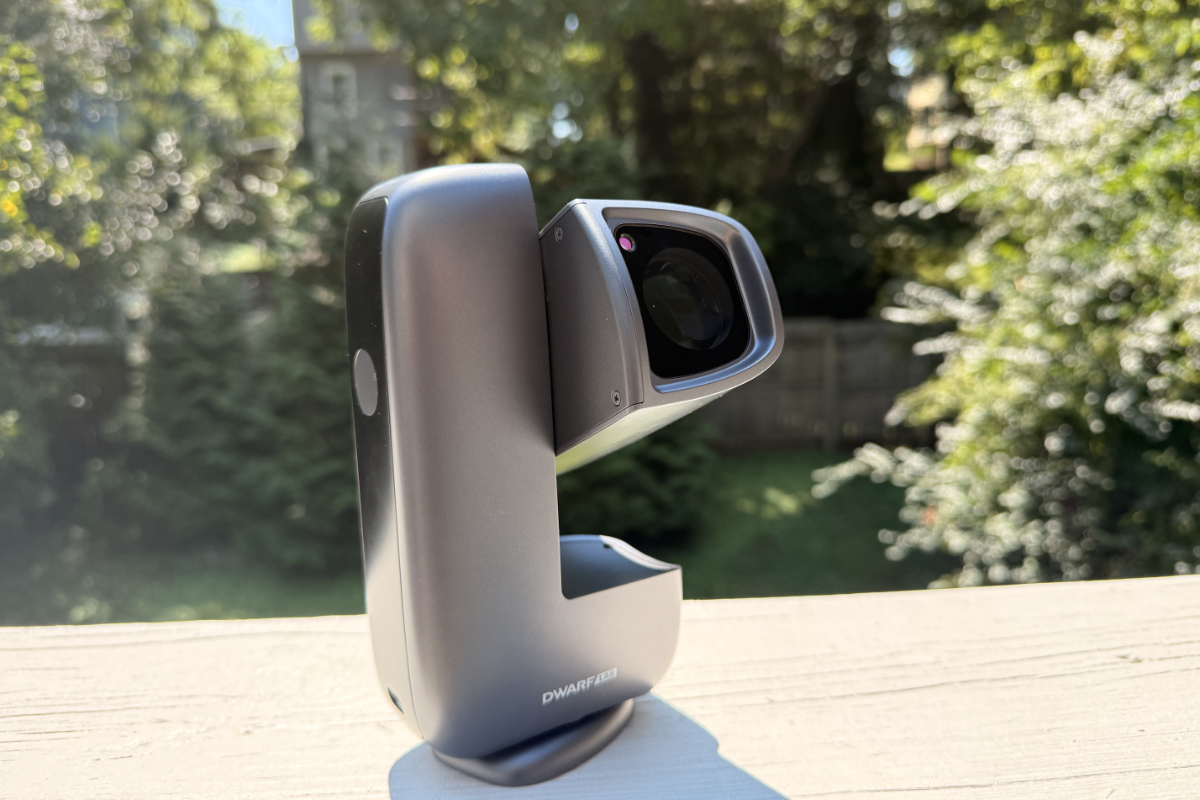
Photo Credit: Kraig Becker
What is the Dwarf Mini Smart Telescope?
Lightweight and compact, the Dwarf Mini is billed as the “world’s smallest smart telescope,” and has the specs to back up that claim. The device weighs just 1.85 lbs and measures 7.2” x 3.95” x 2.4”, making it extremely portable and easy to stow. It comes with surprisingly powerful built-in lenses that users fold out from the main body and point toward the sky. And when powered on, the Mini is capable of an array of fun things, like tracking and photographing different celestial bodies almost entirely on its own.
To accomplish this, the Mini utilizes a number of impressive technologies, including an integrated motorized mount that can lock onto a variety of different objects in the sky and move with them as they traverse the heavens. A Sony IMX662 camera sensor captures the images overhead, while telephoto and wide-angle lenses work together to capture the best photos. Three built-in features—dark-frame, astro, and dual narrowband—let photographers get creative with what they capture. You can even use a 90-second exposure setting to ensure crips, clear detail in each image.
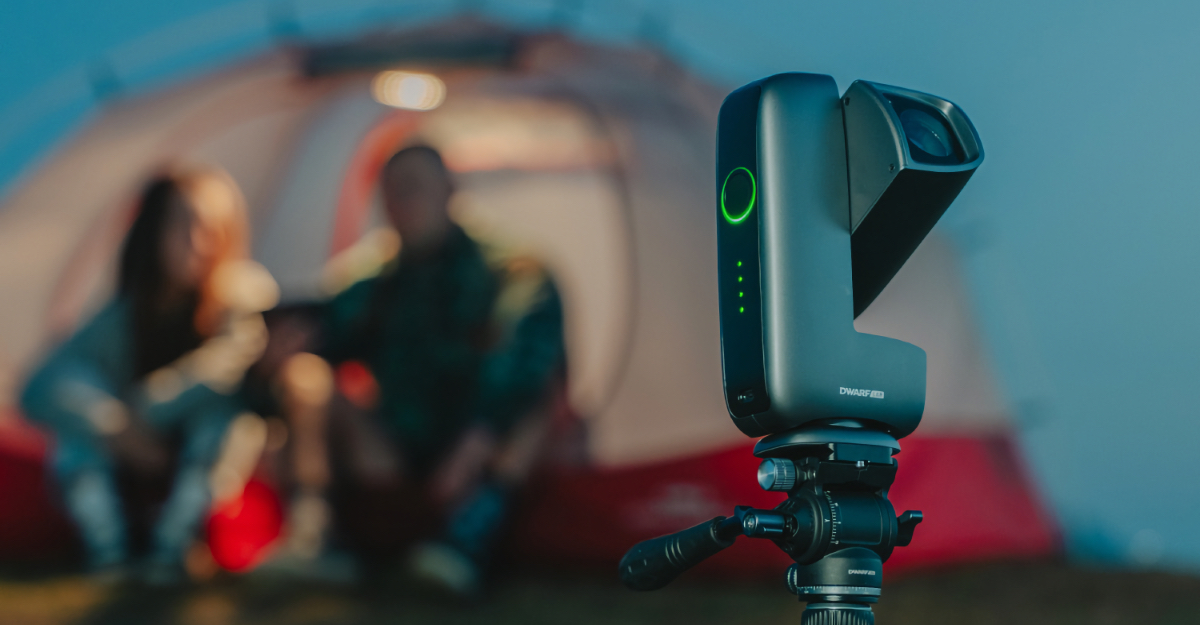
Photo Credit: DwarfLab
Most of those settings are accessed using the DwarfLab smartphone app (available for iOS and Android), which connects directly to the telescope and unlocks a dizzying array of features. Those include an astronomical atlas of the night sky currently overhead, allowing users to know what planets, nebulae, galaxies, and other items can currently be seen from their position. Tapping on a list of those various points of interest will instruct the telescope to locate them and turning on “Equatorial Mode” will tell the Mini to follow an object as it moves across the sky.
All of this sounds fairly complex and can seem a little overwhelming at first. But after using the Mini a time or two, you’ll soon get the hang of it. Setting up the device is actually quite simple, but learning how the app works does take a little time and some trial and error. That includes using the built-in image editing software, which when utilized properly helps deliver some mind-blowing photos that would normally be much more challenging to capture.
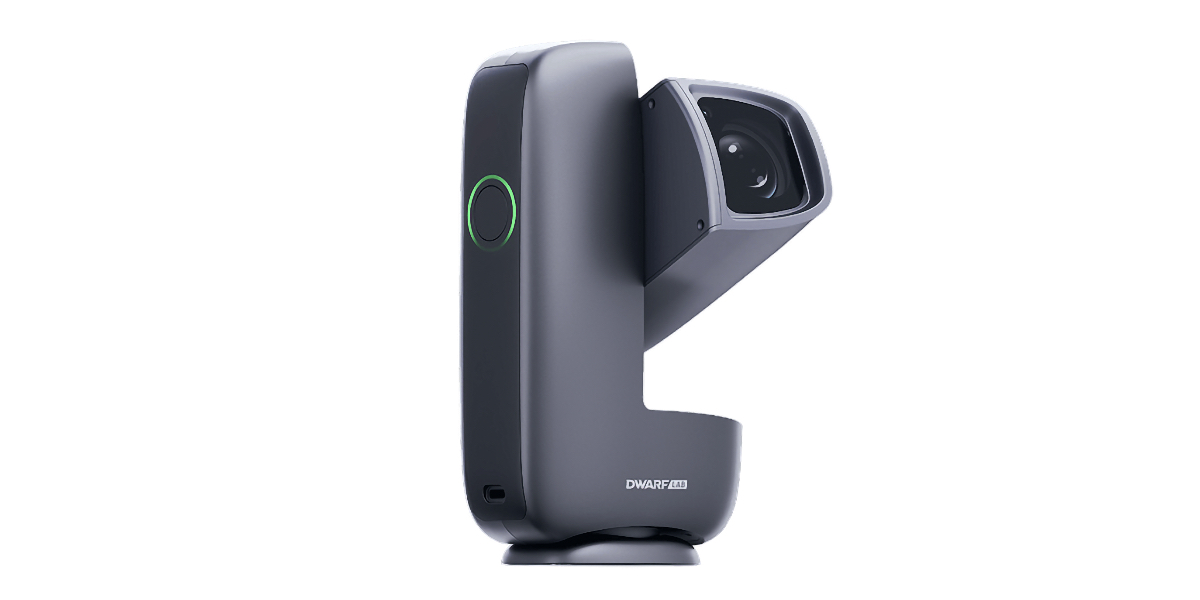
Photo Credit: DwarfLab
Using the Dwarf Mini in the Field
As already noted, the Dwarf Mini is very small and lightweight, which makes it easy to carry with you on a camping trip or an astrophotography-specific outing. The device fits neatly into a backpack and is built solidly enough that you won’t have to worry about damaging it while in transit. Once you’ve arrived at the site, you simply take it out, turn the “lens barrel” up towards the sky, and power the telescope on. Then launch the app on your smartphone to have it automatically connect to the Mini. From there, you’ll have access to all of the features.
For the best photos, you’ll want to set up the Dwarf Mini in a place that offers a broad view of the sky, free from trees, buildings, or other obstructions. It also helps if there isn’t much in the way of light pollution, although the telescope doesn’t do too badly in a setting with some light, as the photo editor can adjust for some outside illumination. That said, the darker the surroundings, the better your photos will be.
After turning the telescope on, you’ll want to first connect it to your smartphone or tablet. That can be accomplished in one of two ways. Dwarflab touts a feature that allows you to hold your smart device close to the Mini itself and have it connect via NFC to automatically launch the app. I was never able to get that feature working with my iPhone, but would instead open the app and push the “Connect” button there to pair my phone with the telescope. That takes a few seconds to complete, but after that you’re ready to go.
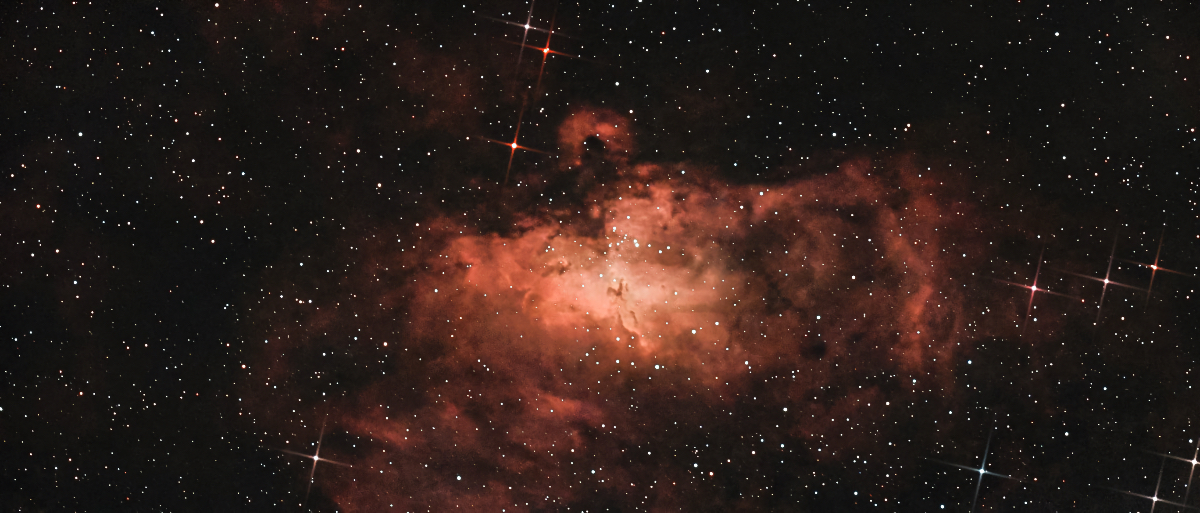
Photo Credit: DwarfLab Mini User @DerAstroBär
Most of the time during my testing, I used the app’s Atlas mode to look for interesting celestial objects overhead. Selecting one of those items would then put the telescope into an orientation mode during which it moved around on its integrated motorized base and repositioned the lens barrel. That typically takes a minute or two to complete, as the base isn’t particularly fast, but it does get the job done. You can also manually reposition the Mini and lenses or use the app as a controller to adjust what you’re looking, too. This works great for shooting photos of things like the moon and the sun, which are easily spotted in the sky. And yes, you can take interesting photos of the sun, including during a solar eclipse, but you’ll want to attach the included solar filter when doing so or risk damaging the device.
After the telescope has aligned with the astronomical body in the sky, you’ll move into photo mode, where you can adjust the settings to get the best images. The app gives you control over things like the exposure time, focus and lens modes, burst image controls, and much more. The number of tools at your disposal is actually pretty amazing, although newcomers to the astrophotography space will want to play around with them some to figure out the best options. You can even set the telescope up to shoot long exposures over hours to get star tracks or more detailed images, just keep in mind that the Mini’s built-in battery lasts about four hours, so an external power source may be necessary for all-night imaging or when used in the cold when lower temps can sap battery life.
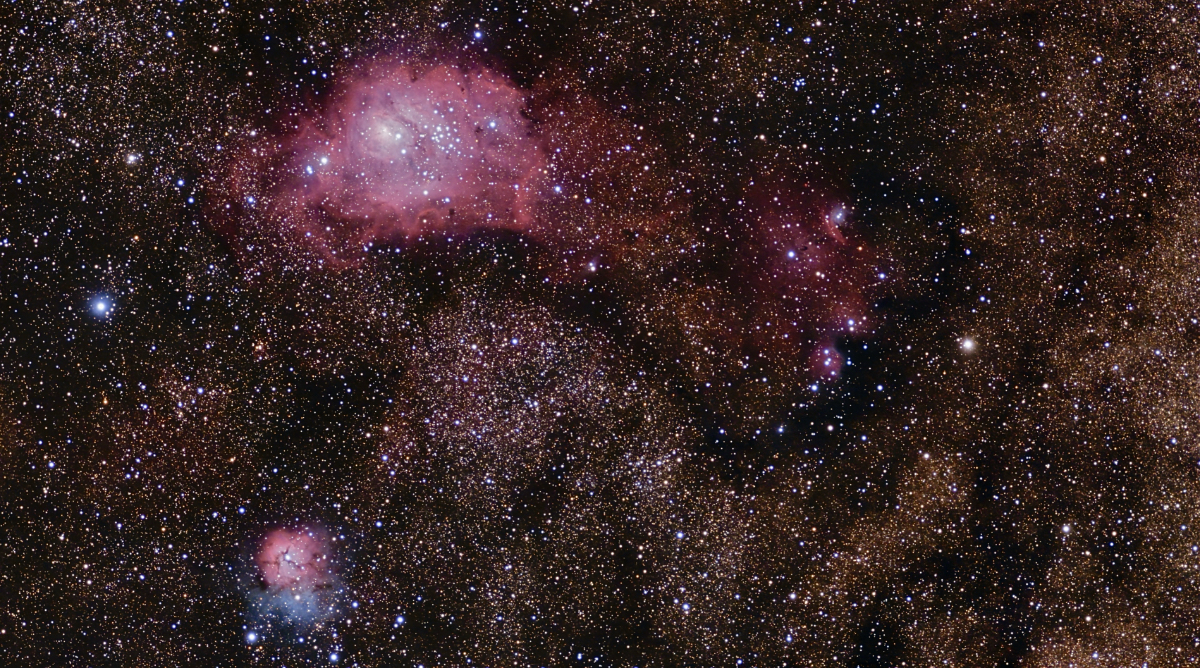
Photo Credit: DwarfLab Mini User @Marcus
An Observatory in the Palm of Your Hand
While it may feel a little complicated to use at first, the Dwarf Mini becomes easier to operate and achieve great photos in short order. There are a number of online resources that provide good tips for getting the most out of the smart telescope, and DwarfLab offers excellent info both on its website and in the app itself. A quick-start guide is included in the box, and it is mostly helpful for getting the device set up. But you’ll soon want to learn more about the Mini, and thankfully there are plenty of resources that can help you unlock everything it can do.
Our favorite thing about the Dwarf Mini is that it is so small and easy to take with you that there is practically no reason to leave it behind when setting out for a nighttime excursion. So long as you can get a nice view of the sky overhead, you can have lots of fun with this device. You’ll be astounded at what it can do, as it takes much of the guesswork out of finding things in the night sky and taking photos of the heavens. Simply place it on a level surface, power it on, connect the app, and look for interesting things overhead. It really is quite intuitive to use after you’ve gotten the hang of it.
As good as the Dwarf Mini is out of the box, there are a few accessories that DwarfLab offers that we’d recommend adding to the mix. Most notably, the Mini Hydraulic Tripod ($89) and the Dwarf Mini Bag ($39). The tripod adds additional support on a variety of surfaces without inhibiting the telescope’s motorized mount, while the bag is nicely sized to safely transport it to and from various locations. It also helps to keep everything organized and makes for a good “grab and go” accessory for those surprising outings that come up at the last minute.

Photo Credit: Kraig Becker
Now, all of that said, there are a few important things to know when buying this telescope. For starters, due to its size, it has smaller, more limited optics, and its camera sensor shoots two megapixel RAW images at a 1920 x 1080 resolution. That’s enough to impress beginners and amateur astrophotographers, but as your skills and knowledge grow, you may want to upgrade to something more powerful, like the DwarfLabs Dwarf 3 model or something similar. In doing so, you give up some of the benefits of the size of the Mini, but get higher resolution images and more capable lenses, sensors, and so on. The Mini also has half the storage capacity (64 GB vs 128 GB) and a smaller battery compared to the Dwarf 3, so the larger telescope does bring some other advantages, albeit with a $549 price tag.
The DwarfLab Dwarf Mini smart telescope truly is like having an observatory in your hands. It can locate a wide variety of objects in the sky and shoot great photos with minimal fuss. And the companion smartphone app includes handy tools to help edit and enhance those images, making them pop with a professional look. Just prepare to exercise a little patience when first learning how everything works and you’ll be rewarded in the long run.
Priced at $419, the Dwarf Mini feels like a bargain for anyone looking to explore astronomy and astrophotography more. It is a quick, easy way to enjoy stargazing, without requiring additional expensive photography equipment and larger, bulkier telescopes. And it is so easy to use, that anyone can pick it up relatively quickly. In addition to the telescope itself, for that price you’ll also receive a quick start guide, a USB-C charging cable, a soft cloth to clean the lenses, and the aforementioned solar filter.
To learn more about the Dwarf Mini smart telescope, visit the DwarfLab website.

Kraig Becker is a writer in the RV, outdoors, and adventure travel space. Over the course of his career he has contributed to such outlets as Popular Mechanics, Outside Online, Business Insider, TripSavvy, Digital Trends, GearJunkie, The Adventure Blog, and countless others. An avid runner and cyclist, he enjoys camping, hiking, mountain biking, kayaking, and just about any other outdoor activity. His travels have taken him to seven continents and on many amazing adventures.